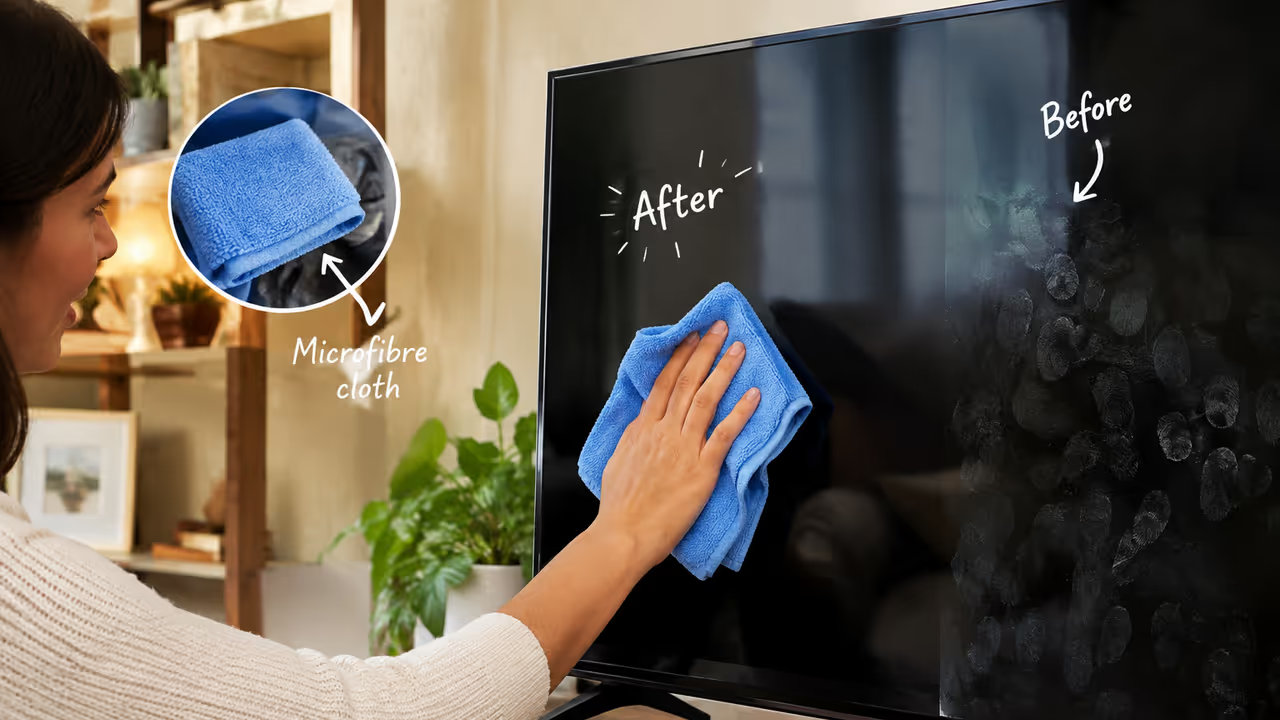
Cleaning a TV screen requires care to avoid damaging delicate displays and coatings. By turning off the device and using a dry or slightly damp microfibre cloth, you can safely remove dust and smudges. It is crucial to avoid harsh chemicals, paper towels, and excessive moisture to maintain your television's pristine condition.
A TV screen can get dirty with dust, fingerprints, and smudges very quickly, especially in homes where the TV is used a lot. It might seem like an easy task to clean the screen, but if you use the wrong cloth or cleaning product, you could damage the display. The screens and coatings on modern TVs are very delicate, so they should be cleaned carefully. Luckily, you don't have to buy a lot of expensive things to keep your TV screen clean.
Here are some easy and safe ways to clean a TV screen that is dirty.
1. Turn Off The TV First Every Time
The TV should be turned off and unplugged from the wall before cleaning it. If the TV has been on for a while, wait until it's cool to wipe the screen. There is also less dust, fingerprints, and lines on a screen that is turned off.
Related Articles

2. Start With Dry Microfibre Cloth
To get rid of daily dust, all you need is a clean, soft microfibre cloth. Do not press down hard on the screen as you wipe it. Stay away from tissues, paper towels, and rough clothes. They might leave fibres behind and hurt or scratch screen films that are too thin.
3. Use A Slightly Damp Cloth
Wet a microfibre cloth with clean water to get rid of any fingerprints or light smudges that are still there after dry cleaning. It should be damp, not wet, the cloth. Wipe the area gently without putting too much pressure on it. The most important thing is to never spray or pour water on the TV screen. Instead, use any kind of moisture on the cloth.
4. Carefully Deal With Marks
Some fingerprints or marks that won't go away may not come off with water or a dry cloth. Check the TV's manufacturer's instructions before you use any cleaning solution.
Manufacturers may suggest a certain screen-cleaning product. Only use that solution and apply it to a cloth instead of the screen itself. It's important to follow the manufacturer's cleaning instructions because they may be different for different TV models and screen coatings.
5. Don't Forget Corners and TV Frame
It's not just the screen that gets dusty. Over time, dirt can also build up on the stand, buttons, sides, and frame. Clean these places with a soft microfibre cloth. Do not push dust deeper into the TV; instead, gently lift it out of the way.
Avoid These Common Cleaning Mistakes
Several everyday household cleaning products should not be used on a TV screen unless the manufacturer specifically says they are suitable.
Avoid using:
- Glass or window cleaners
- Bleach
- Strong chemical cleaners
- Abrasive cleaning products
- Rough cloths or paper towels
- Excessive amounts of water
Additionally, refrain from using a lot of pressure or scraping the screen. Excessive dampness and harsh materials might harm the display's surface coating.
How Often Should You Clean Your TV?
There is no need to deep-clean your television every day. A gentle dusting once a week can help prevent dust from building up, while fingerprints and visible smudges can be cleaned whenever they appear.
Regular, light cleaning is preferable to waiting until a thick layer of dust accumulates and then using aggressive methods to remove it.