Want to give your pictures a festive Durga Puja makeover? ChatGPT AI photo prompts can help you create stunning Bengali saree looks, traditional portraits and beautiful festive backgrounds with simple instructions.
Durga Puja is the perfect time to capture festive memories in traditional outfits. With ChatGPT AI photo prompts, you can transform ordinary pictures into beautiful festive portraits using simple instructions and a few easy steps.
5 ChatGPT Prompts To Create Durga Puja AI Photos
AI photo editing is becoming a popular way to give personal pictures a festive makeover. By uploading a photograph and entering a detailed prompt, users can experiment with traditional Bengali outfits, festive backgrounds, jewellery and professional-style lighting.
Here are five prompts you can try to create your own Durga Puja-inspired pictures.
1. Traditional Bengali Saree Look
Related Articles

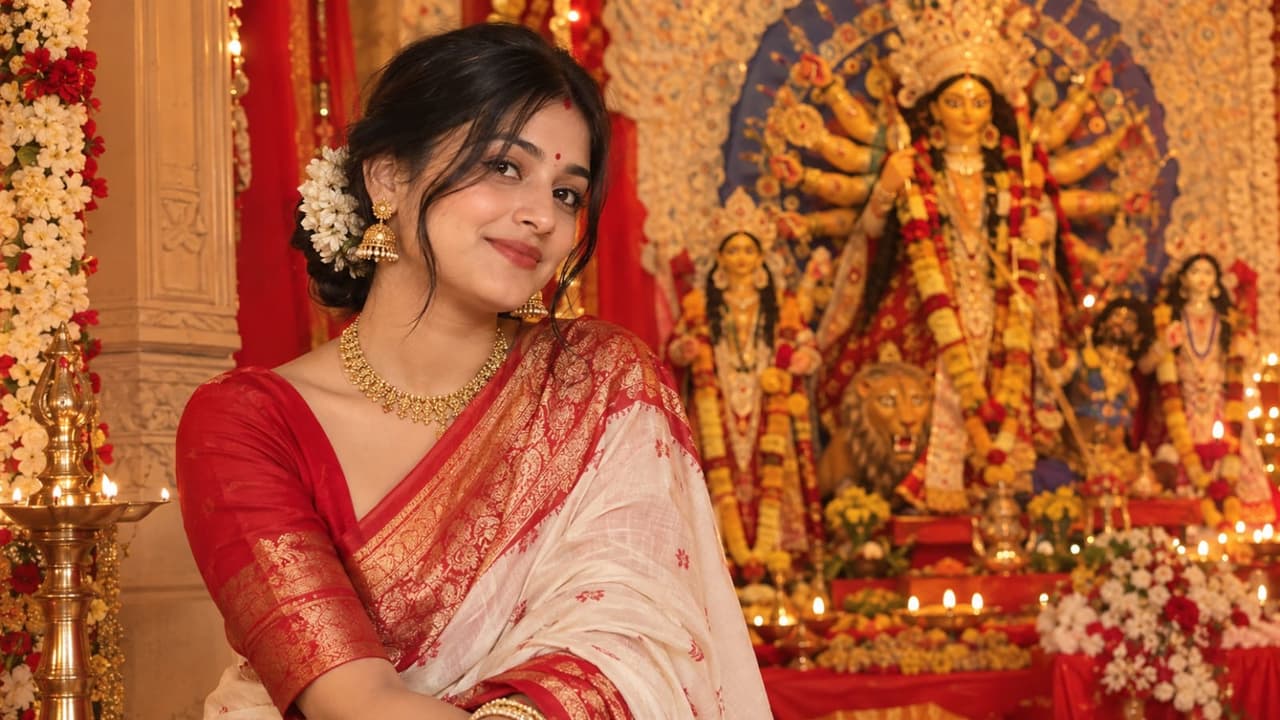
Prompt: Transform my uploaded photo into a realistic Durga Puja portrait. Keep my original face, skin tone and facial features unchanged. Dress me in a traditional red-and-white Bengali saree with gold jewellery, a red bindi and soft festive makeup. Add warm lights and a beautifully decorated Puja background.
2. Glamorous Festive Photoshoot
Prompt: Create a glamorous Durga Puja photoshoot using my uploaded picture. Dress me in a richly embroidered silk saree with statement gold earrings and traditional bangles. Use soft golden lighting, an elegant festive backdrop and natural skin texture. Keep my facial features realistic.
3. Durga Puja Pandal Portrait
Prompt: Turn my uploaded photo into a realistic Durga Puja pandal portrait. Preserve my identity and facial features. Dress me in a colourful traditional outfit with tasteful jewellery. Add marigold garlands, decorative lights and an authentic Bengali Puja pandal in the background.
4. Traditional Dhunuchi Dance Look
Prompt: Create a realistic photograph of me participating in a traditional Bengali dhunuchi dance during Durga Puja. Keep my face unchanged and dress me in a traditional saree with gold jewellery. Add gentle incense smoke, warm festive lighting and a decorated Puja pandal.
5. Durga Puja Greeting Portrait
Prompt: Create an elegant Durga Puja greeting portrait using my uploaded photo. Preserve my real face and skin tone. Add traditional festive clothing, subtle gold jewellery, diya lighting and red-and-gold decorations. Include the words “Shubho Durga Puja” in clear lettering.
How To Create Durga Puja AI Photos Using ChatGPT
Creating a festive AI portrait is simple. Open ChatGPT, upload a clear photograph and enter the prompt that matches your preferred look. You can adjust the instructions to change your outfit, background, lighting or overall style.
For better results, use a well-lit photograph and describe the details you want as clearly as possible. You can also ask the AI to retain your natural facial features and avoid excessive retouching.
However, AI-generated images may not always preserve every detail accurately. Check the final picture for changes to your face, hands, jewellery and clothing before sharing it on social media.
With a little experimentation, these prompts can help you create personalised Durga Puja portraits without arranging a professional photoshoot.