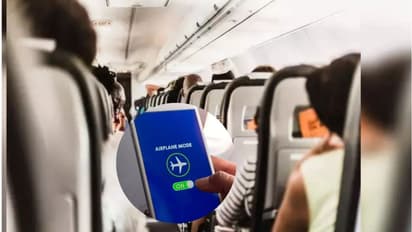
Using airplane mode on flights is essential for safety. Mobile phones can interfere with aircraft systems, so following flight crew instructions and activating flight mode ensures a secure journey.
During a flight, safety features must be followed. After boarding, the crew explains safety rules, like using seat belts and what to do in emergencies. They also instruct all passengers to put their phones on flight mode.
26
Safety Behind Flight Mode
Flight safety is behind the flight mode rule. While today's networks may not pose a huge risk, even a small signal is crucial during takeoff and landing. After enabling airplane mode, only Bluetooth and Wi-Fi work; the mobile network is blocked.
36
What's the problem with flight mode?
Aviation experts say one phone with its signal on won't cause much harm. But if everyone's phone is connected, it can affect the aircraft's communication system, causing issues during takeoff and landing.
If flight mode isn't on, your phone will search for networks, relying on ground towers. If all phones do this, it can impact the aircraft's connection, potentially affecting its navigation and control systems.
56
Pilot and Traffic Control Connection
Mobile networks can disrupt the connection between the pilot and air traffic control. Takeoff and landing are critical; a millisecond error can be disastrous. That's why flight mode is essential at these times.
66
Fewer problems in modern aircraft systems
Modern aircraft have advanced tech, so mobile signal interference is less likely. Still, for safety during takeoff and landing, it's best to put your phone in flight mode.