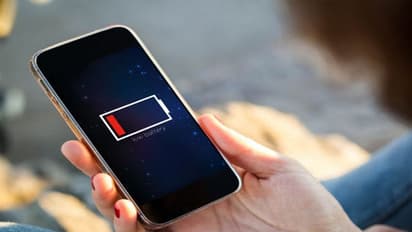
Are you worried about running out of charge when outside? Then, here are 5 simple tips that will come in handy to expand your smartphone's battery life, read on.
There are many reasons behind your mobile phone's battery-life going down. Here are few hacks that are useful in terms of keeping it safe for a while when you are out somewhere.
There are many reasons behind your mobile phone's battery-life going down. Here are few hacks that are useful in terms of keeping it safe for a while when you are out somewhere.
26
Turn off your GPS: GPS squeezes out a lot of battery life from your mobile phones. So if it is not necessary, then turn your GPS off.
Turn off your GPS: GPS squeezes out a lot of battery life from your mobile phones. So if it is not necessary, then turn your GPS off.
36
Shift to Dark mode: Updated smartphones come with an inbuilt dark-themed display background. If you have an OLED screen, then it will produce rich backlight instead of individual pixels, saving the battery life.
Shift to Dark mode: Updated smartphones come with an inbuilt dark-themed display background. If you have an OLED screen, then it will produce rich backlight instead of individual pixels, saving the battery life.
46
Limit your running apps: Clear your running apps from the recent items. Restrict some apps from running in the background; this will help to save the battery.
Limit your running apps: Clear your running apps from the recent items. Restrict some apps from running in the background; this will help to save the battery.
56
Beware of the battery killers: Some apps get affected by the bugs, which further causes in reducing the battery life from your mobile phones. Get rid of them, Go to Settings > Battery > Power Usage and monitor the power usage of the apps. You can also install a third-party assistant to keep an eye on such kind of app behaviour.
Beware of the battery killers: Some apps get affected by the bugs, which further causes in reducing the battery life from your mobile phones. Get rid of them, Go to Settings > Battery > Power Usage and monitor the power usage of the apps. You can also install a third-party assistant to keep an eye on such kind of app behaviour.
66
Use Lite-apps: Install lite-apps like Facebook lite, Messenger lite, as lite-apps help in restoring the battery life instead of minimizing it.
Use Lite-apps: Install lite-apps like Facebook lite, Messenger lite, as lite-apps help in restoring the battery life instead of minimizing it.