New Aadhaar App Crosses 4 Crore Downloads: Here's How To Update Mobile Number, Address And Use All Features

Published : Jul 20, 2026, 07:21 PM IST

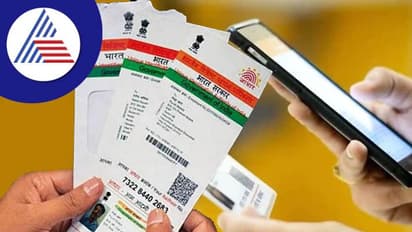
New UIDAI Aadhaar App has crossed 4 crore downloads, reflecting growing use of digital Aadhaar services. The app lets users update mobile number, address and email, download e-Aadhaar, lock or unlock biometrics and complete Face ID-based verification
PREV
16
New Aadhaar App crosses 4 crore downloads

India's new Aadhaar App has crossed the 4 crore (40 million) download mark, highlighting the growing shift towards digital identity services. The Ministry of Electronics and Information Technology (MeitY) announced the milestone, saying millions of residents are now using the app to manage Aadhaar-related services directly from their smartphones.

The app was launched on 28 January 2026 as the next-generation replacement for the older mAadhaar application. Since then, the Unique Identification Authority of India (UIDAI) has encouraged users to move to the new platform, which is available on both Android and iOS devices.

The redesigned app is aimed at reducing paperwork, making Aadhaar verification easier and allowing users to complete several important tasks without visiting an Aadhaar centre.

26
Why is the new Aadhaar App becoming popular?

The latest figures released by the government show how quickly people have adopted the new app. According to MeitY:

  • The Aadhaar App has crossed 4 crore downloads
  • Around 49 lakh mobile numbers have been updated through the app
  • More than 11.65 lakh addresses have been updated
  • Nearly 12.5 lakh email addresses have been added or updated
  • Users have locked or unlocked their Aadhaar biometrics more than 1.91 crore times

These numbers indicate that many Aadhaar holders now prefer completing routine updates through their phones instead of visiting Aadhaar centres whenever possible.

What services are available on the new Aadhaar App?

The new Aadhaar App offers much more than simply storing a digital Aadhaar card. It combines identity verification, profile management and privacy-focused features in one place. The services currently available include:

  • Face ID-based Aadhaar authentication
  • QR code-based digital identity sharing
  • One-click biometric lock and unlock
  • Consent-based sharing of selected
  • Aadhaar details Addition of up to five Aadhaar profiles on one device
  • Mobile number update (for eligible users)
  • Address update 
  • Email address addition or update
  • Downloading e-Aadhaar

The biggest change is that users no longer need to depend heavily on photocopies of their Aadhaar card for many verification purposes.

36
What has changed in the new Aadhaar App?

For years, people were routinely asked to submit photocopies of their Aadhaar card while buying a SIM card, checking into hotels, opening bank accounts, applying for government schemes or completing rental agreements.

This often meant sharing more personal information than necessary.

The new Aadhaar App focuses on digital verification instead of physical document sharing. Users can verify their identity digitally while sharing only the information required for a particular service. This helps improve privacy and reduces unnecessary sharing of Aadhaar copies.

Can you update your mobile number through the Aadhaar App?

Yes, but only in certain situations.

According to UIDAI, you can update your mobile number through the Aadhaar App if your existing registered mobile number is already linked to Aadhaar and is still available with you.

Since the process requires OTP verification, users must have access to their currently registered number.

However, if you have lost your registered mobile number or never linked one with Aadhaar, you cannot complete the update through the app.

In such cases, you must visit an Aadhaar Seva Kendra or an authorised Aadhaar enrolment and update centre to complete the process.

46
How to update your mobile number

Eligible users can update their mobile number by following these steps:

  • Open the Aadhaar App and log in.
  • Go to the Services section.
  • Select Mobile Number Update.
  • Enter the new mobile number.
  • Verify the details shown on the screen.
  • Submit the request.
  • Save the Update Request Number (URN) to track the application status.

Can you update your address?

Yes.

The Aadhaar App allows users to submit address update requests online, making the process much easier than before. Users simply need to:

  • Open the Aadhaar App.
  • Log in using OTP verification.
  • Select Address Update.
  • Enter the new address.
  • Upload supporting documents if required.
  • Submit the request.
  • Use the generated URN to track progress.

UIDAI also supports the Head of Family (HoF) method. Under this option, a family member whose Aadhaar already contains the correct address can approve another family member's address update request through the Aadhaar App.

56
Email update is now available too

The Aadhaar App introduced the email update facility on 1 July 2026.

To encourage more users to add an email address, the government has waived the usual Rs 75 fee for email updates made through the Aadhaar App until 31 December 2026.

Adding an email address allows users to receive Aadhaar-related alerts and communication more conveniently.

Free Aadhaar document update extended

UIDAI has also extended its free online Aadhaar document update facility.

Residents can now update and verify their identity and address documents online without paying any fee until 14 June 2027.

The service was earlier scheduled to end on 15 June 2026, but has now been extended by one year.

66
The Aadhaar App and its significance

The Aadhaar App reflects the government's broader push towards digital public services.

Instead of carrying printed Aadhaar copies or repeatedly submitting photocopies, users can now complete many verification processes digitally while keeping better control over their personal information.

Features such as Face ID authentication, QR-based verification, consent-based data sharing and biometric locking are designed to improve both convenience and security.

The growing number of downloads and updates suggests that more residents are becoming comfortable managing their Aadhaar details through their smartphones.

For millions of Aadhaar holders, the app has become a one-stop platform for updating personal details, downloading e-Aadhaar, managing biometric security and completing identity verification from home, reducing paperwork and saving time.

Find the latest Technology News covering Smartphone Updates, AI (Artificial Intelligence) breakthroughs, and innovations in Space exploration. Stay updated on gadgets, apps, and digital trends with expert reviews, product comparisons, and tech insights. Download the Asianet News Official App for everything shaping the future of technology.


Read more
Read more Photos on

Recommended Stories