Lok Sabha elections 2024: Here's how to download voter ID card online in just 5 minutes
Synopsis
On Monday (May 13), the fourth phase of polling is underway in several states, including Andhra Pradesh, Bihar, Jharkhand, Madhya Pradesh, Maharashtra, Odisha, Telangana, Uttar Pradesh, West Bengal, and Jammu and Kashmir.
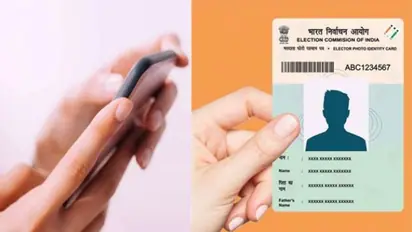
With the Lok Sabha elections in full swing across India, ensuring one's voting eligibility becomes crucial. For people above 18 years old in India, possessing a Voter ID card is imperative to exercise their democratic right. However, in cases where the physical card is unavailable, downloading the Voter ID online becomes necessary, especially for the upcoming phases of the Lok Sabha elections.
Today (May 13), the fourth phase of polling is underway in several states, including Andhra Pradesh, Bihar, Jharkhand, Madhya Pradesh, Maharashtra, Odisha, Telangana, Uttar Pradesh, West Bengal, and Jammu and Kashmir. In a bid to facilitate voting without the physical card, the Election Commission of India (ECI) introduced the concept of e-EPIC (electronic Electoral Photo Identity Card), allowing individuals to download and utilise a digital version of their Voter ID.
Rajasthan: Several schools in Jaipur receive bomb threat, students evacuated
A Voter ID card serves as an identity of a person issued by the Election Commission of India, ensuring the integrity and transparency of the electoral process. This card, alternatively known as EPIC (Electors Photo Identity Card), election card, or voter's card, plays a significant role in establishing the identity of voters during elections.
To download the e-EPIC card, one must ensure that their mobile number is updated with the ECI. This can be done by following a simple process outlined on the official Voter Services Portal. Upon updating the mobile number, the steps to download the digital Voter ID are as follows:
Step 1. Visit the official Voter Services Portal and login using the registered mobile number.
Step 2. Request OTP and verify login details.
Step 3. Navigate to the 'E-EPIC Download' tab and enter the EPIC number or Form Reference Number.
Step 4. Select the appropriate options and click 'Search'.
Step 5. Upon verification, an OTP will be sent to the registered mobile number.
Step 6. Enter the OTP and click 'Verify'.
Step 7. Download the e-EPIC card by clicking the designated button.
Ajmer shocker! 6 madrassa students strangulate imam to death with rope over sexual abuse
Stay updated with the Breaking News Today and Latest News from across India and around the world. Get real-time updates, in-depth analysis, and comprehensive coverage of India News, World News, Indian Defence News, Kerala News, and Karnataka News. From politics to current affairs, follow every major story as it unfolds. IMD cities weather forecastsRain Cyclone Asianet News Official App