Aadhaar Card on WhatsApp: Forgot Your Card at Home? Download It in Minutes
Synopsis
Forgot your Aadhaar card? Don't worry. You can easily get it on WhatsApp through the government's MyGov Helpdesk. Just message +91-9013151515, choose DigiLocker services, verify with your Aadhaar number and OTP, and download your e-Aadhaar instantly.
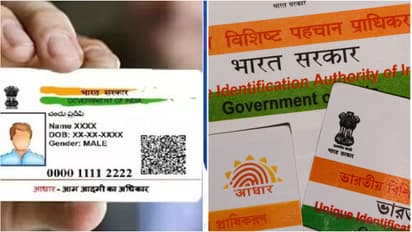
The Aadhaar card is a super important document for almost everything these days. Most of us make sure to carry it with us all the time. But what happens when you're in a hurry and accidentally leave it at home? Well, you don't have to call someone at home and ask them to send a photo. The government's MyGov Helpdesk now has a DigiLocker feature on WhatsApp. This lets you access documents you've already saved in your DigiLocker, right from your chat.
First, you need to save the number +91-9013151515 on your phone. You can save it as 'MyGov Helpdesk'. After that, open WhatsApp and send a "Hi" or "Namaste" to this number. You will get a reply with a list of options. From that list, choose 'DigiLocker Services'. Next, you'll have to confirm your DigiLocker account details and enter your Aadhaar number when asked. This service works because the MyGov Helpdesk is linked with the DigiLocker system.
Once you do that, you will receive a One-Time Password (OTP) on the mobile number that is linked to your Aadhaar. You have to enter this OTP in the WhatsApp chat to complete the verification. After the verification is done, you will see a list of all the documents available in your DigiLocker. If your Aadhaar card is on the list, just select it. Your Aadhaar card will then be sent to you as a PDF file right there in the WhatsApp chat. Remember, you can only access documents that have already been issued and saved in your DigiLocker.
There are a few important conditions for this facility to work. First, your mobile number must be linked to your Aadhaar. You also need to have a DigiLocker account. If your Aadhaar card isn't showing up in the list, you will first have to add it using the DigiLocker website or app. When you create a DigiLocker account, it usually involves an OTP verification using your mobile or Aadhaar number.
So, the next time you forget your Aadhaar card, don't panic. You can use the MyGov Helpdesk's WhatsApp number, +91-9013151515, to access your DigiLocker documents. At the same time, be very careful. Since you are entering your Aadhaar number and OTP on WhatsApp, it's extremely important to double-check that you are using the official MyGov Helpdesk service. Never share your Aadhaar details on suspicious numbers or websites. For any official Aadhaar-related services, you can also use the Unique Identification Authority of India (UIDAI) website.
Stay updated with the Breaking News Today and Latest News from across India and around the world. Get real-time updates, in-depth analysis, and comprehensive coverage of India News, World News, Indian Defence News, Kerala News, and Karnataka News. From politics to current affairs, follow every major story as it unfolds. IMD cities weather forecastsRain Cyclone Asianet News Official App