CBSE Class 12 Result 2026: Activate DigiLocker Now to Download Marksheet Instantly
Synopsis
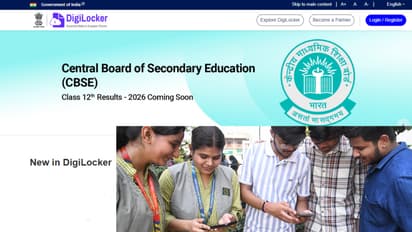
CBSE Class 12 Result 2026 is expected soon. DigiLocker has advised students to activate their accounts now to quickly download digital marksheets, migration certificates and other documents once results are declared.
CBSE 12th Result 2026 on DigiLocker: The Central Board of Secondary Education (CBSE) is expected to announce the results for the Class 12 board exams 2026 very soon. Before the results go live, DigiLocker has issued an important advisory for all students. The platform has clearly stated that students should activate their DigiLocker accounts right away. This will help them download their digital marksheets without any delay once the results are declared.
Get your CBSE 12th Result 2026 on DigiLocker here
How many students took the CBSE 12th board exam in 2026?
This year, more than 18 lakh students are waiting for their CBSE Class 12 Result 2026. On result day, the official website often slows down or faces login issues due to heavy traffic. That's why getting your DigiLocker account ready beforehand is a very smart move.
You can create a DigiLocker account even without an APAAR ID
Many students currently do not have an APAAR ID. For such students, DigiLocker has shared a simple process. They can use this method to activate their account in just a few minutes.
How to create a DigiLocker account without an APAAR ID
- First, go to the CBSE Services DigiLocker portal at digilocker.gov.in.
- Click on the 'Get Started' option.
- Enter the access code provided by your school and other required information.
- Verify your mobile number using the OTP sent to it.
- Once the verification is complete, your DigiLocker account will be active.
- DigiLocker has advised students not to wait for the results and to get their accounts ready now.
Five important settings for your phone to check results
1. Keep your browser updated so the CBSE result website loads smoothly without crashing or freezing.
2. Clear your phone browser’s cache and cookies to avoid loading errors and outdated pages during result checking.
3. Ensure you have a stable internet connection, preferably high-speed mobile data or Wi-Fi, before the result goes live.
4. Save important details like roll number, school code and admit card ID in advance to avoid delays on result day.
5. Install and activate apps like DigiLocker and UMANG beforehand so you can access your marksheet even if the CBSE website slows down.
How to download CBSE 12th Result 2026 from DigiLocker?
After the results are announced, students can easily download their digital marksheets through DigiLocker. You will need to follow the steps given below.
Steps to download your marksheet from DigiLocker:
- Open the DigiLocker website or mobile app.
- Log in with your registered mobile number and security PIN.
- Go to the 'Issued Documents' section.
- Select 'Central Board of Secondary Education (CBSE)'.
- Click on 'Class XII Marksheet 2026'.
- Fill in necessary details like your roll number and school code.
- Download your digital marksheet.
What other documents will be available on DigiLocker?
CBSE provides several important documents online through its digital academic repository, 'Parinam Manjusha'. All these documents can be accessed via DigiLocker.
Students will get these digital documents:
- Marksheet-cum-Certificate
- Migration Certificate
- Skill Certificate (wherever applicable)
- These digital documents are considered valid for college admissions and other future procedures.
Why is DigiLocker so important for students on result day?
Every year, heavy traffic on result day causes technical glitches on the official websites. In such a situation, DigiLocker becomes the fastest and most reliable option for students. From here, students can instantly get their digital marksheets and certificates, which can also be shared online anywhere. CBSE is advising students to keep their login details, mobile number, and school access code handy. This will ensure they can download their marksheets without any trouble as soon as the results are out.
Education NewsCareer Newsjob alertshigher educationskill developmentscholarshipsstudy abroadAsianet News Official App