iOS 17 update: Here's how to use NameDrop feature on your iPhone
Published : Sep 29, 2023, 02:05 PM IST
Synopsis
Before diving in, it's important to note that both your iPhone and the recipient's must be running iOS 17. Additionally, NameDrop is exclusively supported on iPhone models XS and newer.
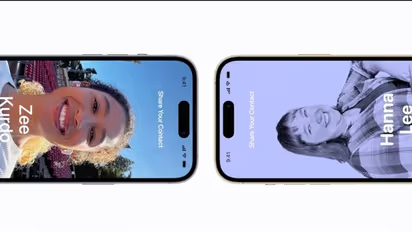
iPhone users now have a new, frictionless method of sharing material thanks to the most recent iOS 17 update: NameDrop. Users may now just bump their iPhones together to activate this ground-breaking function rather than waiting for a pop-up confirmation. Here's a step-by-step tutorial on how to utilise NameDrop on your iPhone to its full potential.
To begin, adhere to these instructions to activate AirDrop on your iPhone:
- Go to Settings, choose General, and then choose AirDrop.
- Turn "Bringing Devices Together" on under "Start Sharing By"
You can easily share photographs, movies, and other content once this option is enabled, as well as exchange contact information via NameDrop.
Using NameDrop is as straightforward as using AirDrop:
- Bring your iPhone up close and place it on top of the recipient's device to send a contact.
- Both devices will begin to light, indicating that a connection is active. Hold on to the button until "NameDrop" shows up on both displays.
- You will now have two choices, as will the receiver. To get the contact card from the other iPhone, select "Receive Only". Alternately, click "Share" to send your own contact information along with theirs.
- Simply move the two iPhones apart before NameDrop finishes if you desire to stop the procedure.
How to share photos, videos, and files:
- The image, video, or file you want to share should be opened.
- Choose AirDrop when given the option to distribute the file.
- Grab the iPhones and stack them on top of one another. Choose the recipient's device from the list if they don't have an iPhone.
- Make sure AirDrop is enabled and set to Contacts on both iPhones. For ten minutes, temporarily switch to "Everyone" if the contact isn't stored on your iPhone.
Read more
Read more Articles on